
What a Smart-Home Inspector Actually Looks At (And What People Forget to Mention)
by Phillip McClain | Feb 11, 2026 | Home Inspection Notes
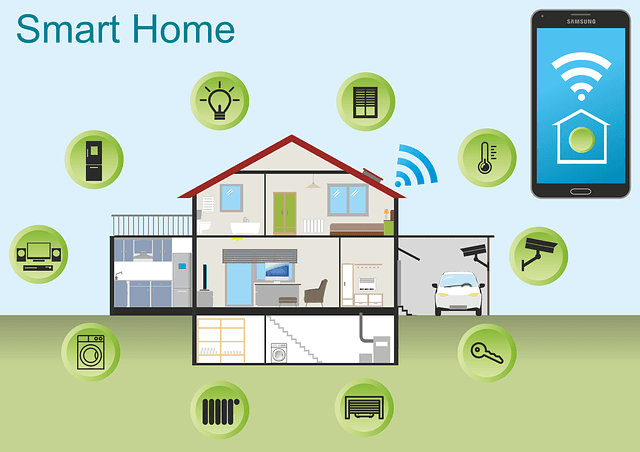
Smart home gear used to be a curiosity. Now it shows up in something like half the homes I look at, including older ones the owners have retrofitted. Smart thermostats are practically standard on new construction. So is the doorbell with a camera. Lots of homes now have leak detectors in the garage, smart locks on the front door, and a panel app that monitors the AC.
Buyers ask me how all this stuff is handled in the inspection. So here's the honest answer.
What I actually test
The same things I always tested. The thermostat needs to call for cooling and heating, and the system needs to respond. Doesn't matter if it's a $40 dial or a $300 Nest. I run it through both modes and verify the air handler and condenser respond appropriately.
I check that the garage door opener works, including the safety reverse and the entrapment sensors at the bottom of the door. The fact that someone has it linked to their phone doesn't change what I'm checking.
I run water at every fixture. Smart leak sensors don't replace that, they supplement it. If the seller's leak sensor is sitting in the corner of the laundry room not paired to anything, that's effectively a battery-eating piece of plastic. I'll note it but I'm not putting it back into service.
Doorbell cameras and security cameras: I confirm they're powered, but I don't try to log into anyone's app account. Privacy aside, the buyer is getting these turned over by the seller post-closing along with the account credentials. That's a transition issue, not an inspection issue.
What I don't do
I'm not setting up anyone's smart home. I'm not doing a wifi audit. I'm not testing whether the locks pair to the panel correctly, or whether the leak sensor sends a notification properly. The smart device ecosystem is enormous and varies by household. None of it is something I'm going to certify.
When sellers leave their wifi password and apps logged in, I sometimes can verify a smart system is functioning. When they don't (which is most of the time, and is correct), I treat the device as just hardware. Is it powered, mounted, and physically intact? Yes or no.
What buyers consistently forget to ask
Account ownership. The smart locks, cameras, and panels are tied to the seller's accounts. After closing, you need them to factory reset and transfer ownership, or you need to do it yourself. If they don't and you don't know the procedure, you can be locked out of your own equipment. I've had buyers call me a month after closing because the doorbell camera is still pinging the seller's phone.
Hub dependency. A lot of older smart-home systems are dependent on a central hub. When that hub is gone or unsupported, the whole network of devices stops being smart. If the home has a Wink hub from 2015 (Wink famously stopped working) or some other discontinued platform, you're looking at replacing or getting rid of the gear.
Sensor batteries. Most leak sensors and door sensors run on coin cell batteries that last 1 to 2 years. If a homeowner replaces them religiously, fine. If they stopped paying attention three years ago, none of those sensors are doing anything anymore. I tap them to verify they wake up if I can.
Subscription requirements. Some camera doorbells and security panels need a paid subscription to access cloud storage or alerting. If the seller had it on auto-renew, the new buyer takes it over. If they cancelled, the device gets dumber when the subscription ends. Worth knowing.
Smart features that I do think are worth keeping
Leak detection at the water heater pan, washing machine, and under sinks. The cost of these has come down to where you can have whole-home coverage for under a hundred dollars. Cheap insurance against a $5,000 water-damage claim.
Smart thermostat. Especially in Florida. The savings on cooling are real. Programmable scheduling for when nobody's home, the ability to adjust from your phone if you're coming back from a trip and want the house cooled down. Little things that save real money in summer.
A modern surge protector at the panel. Florida has lightning. I see appliance damage from surge events constantly. A whole-house surge protector at the main panel runs a few hundred dollars installed and is worth the money.
When smart-home gear is actually a red flag
DIY-installed wiring for cameras and doorbells. I've found surprise junction boxes, exterior splices that aren't weatherproof, and low-voltage wires nailed across joists in the attic. The smart part isn't the issue. The installation is.
Aftermarket smart panels installed by an unlicensed electrician. The panel itself might be fine, but the cabinet penetrations and the conductor sizing might not be. I treat any electrical work the same way regardless of how smart the device is.
Aging smart-home wiring (cat5 to every room from 2001) that the homeowner thinks is meaningful. Often it's been disconnected at the structured panel for 15 years.
What to ask the seller
Tell me which smart devices are staying with the house. Tell me which accounts I'll need transferred. Tell me if any of them require a subscription. Tell me when the last battery change was on the leak sensors. Tell me which devices currently work and which ones got abandoned at some point.
Most sellers will be straightforward about this if you ask. The trouble is when nobody asks and you find out the smart lock is bricked the day you try to move in.
The smart-home stuff is not going to change the bones of the house. It's a layer on top. Get the bones right with a real inspection, and worry about the smart layer separately.